Ingredient Cost Tracking
Keep ingredient costs ready for the next quote.
Give purchasing a clear view of supplier prices, review dates, and price history—then give sales the same up-to-date ingredient list when it is time to quote.
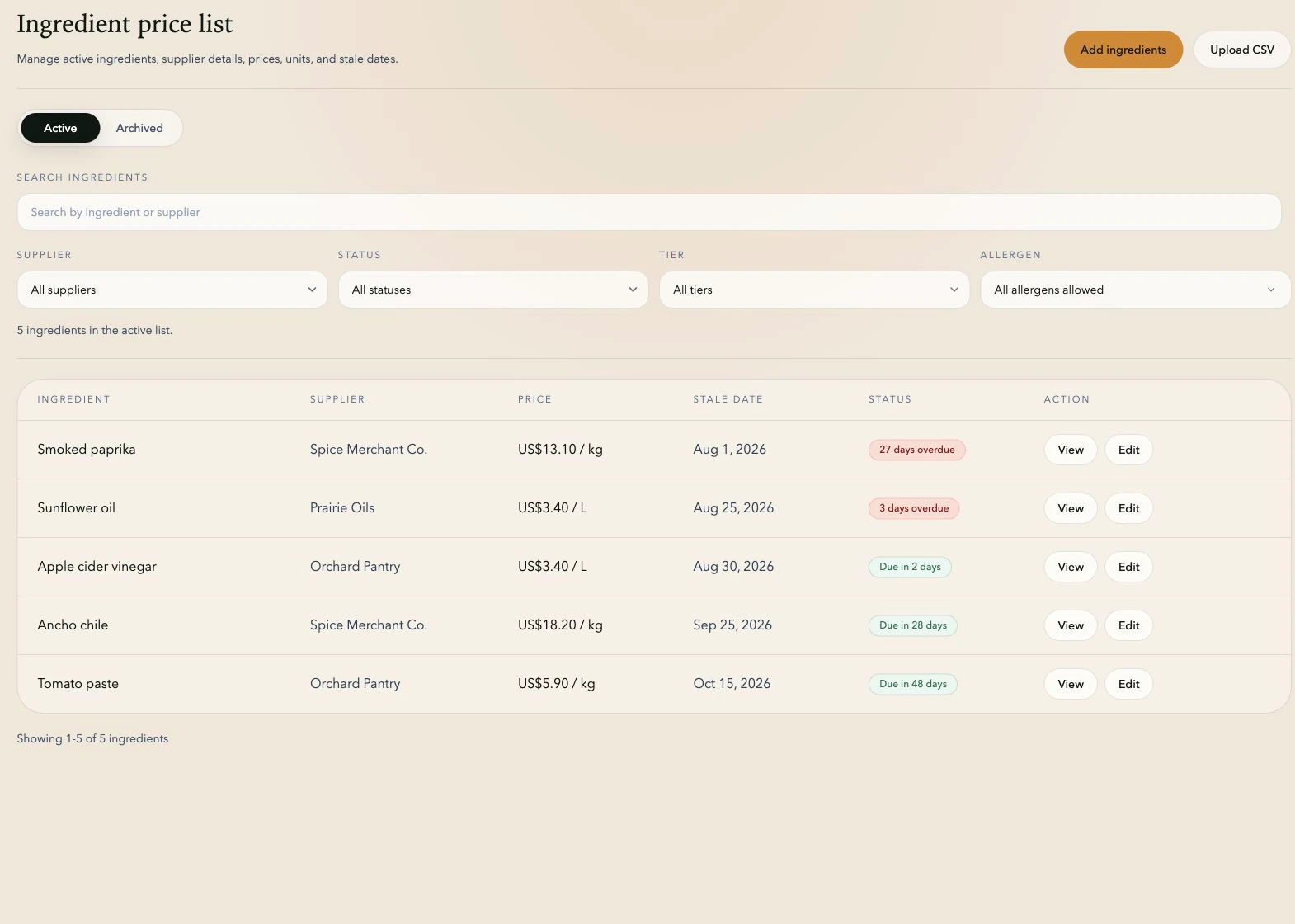
One shared price list
Find the price you need without chasing another spreadsheet.
Search by ingredient or supplier, filter by review status, and see the latest price and next review date at a glance.
Ready to verify
Everything purchasing needs to check an ingredient price.
Keep the purchasing details with the price
Supplier, tier, item code, currency, and unit stay with every ingredient, so purchasing can verify a price quickly.
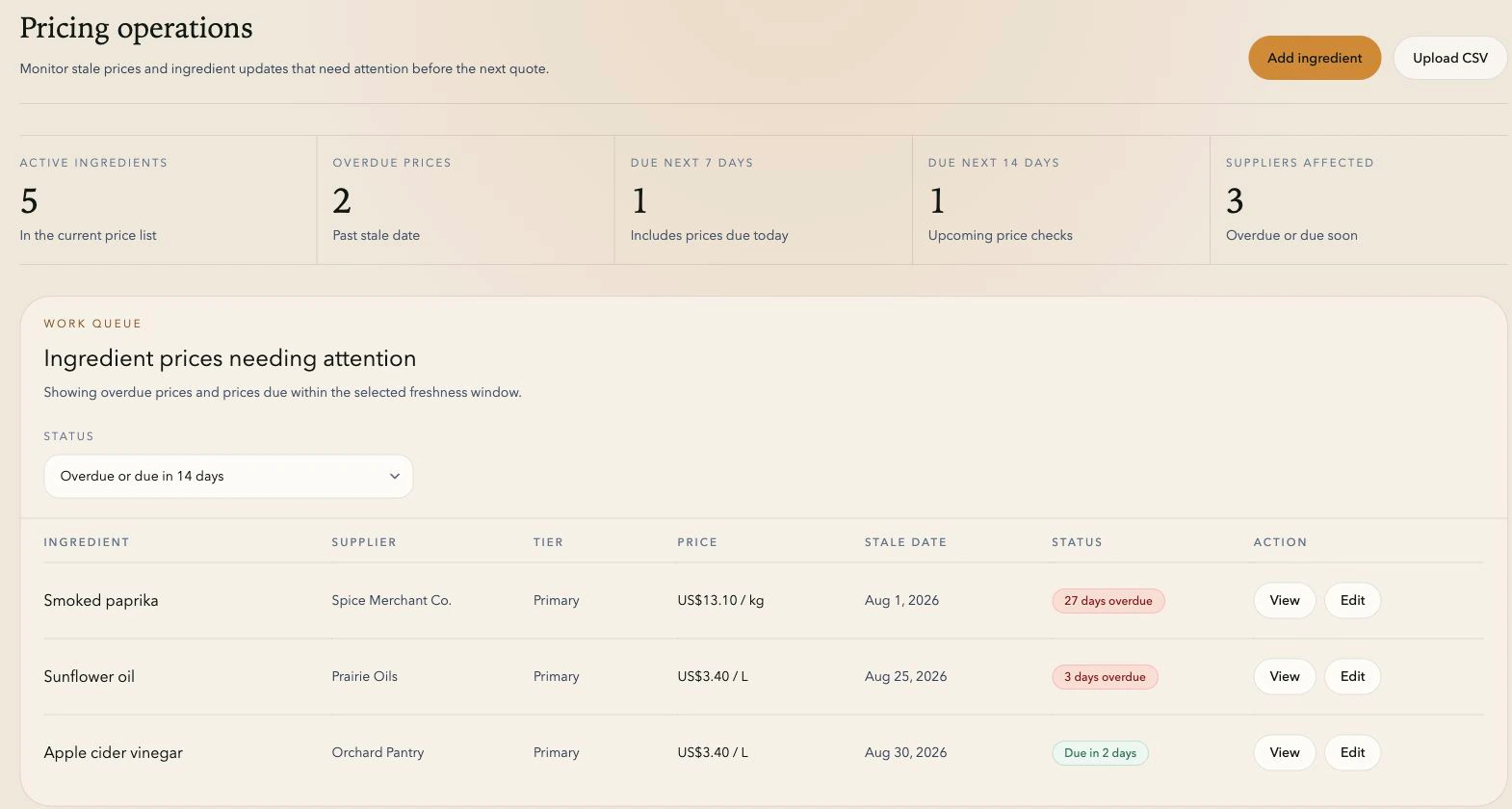
Stay ahead of overdue prices
Set a review date for each price and use the dashboard to see what is overdue or coming up next.
See what changed
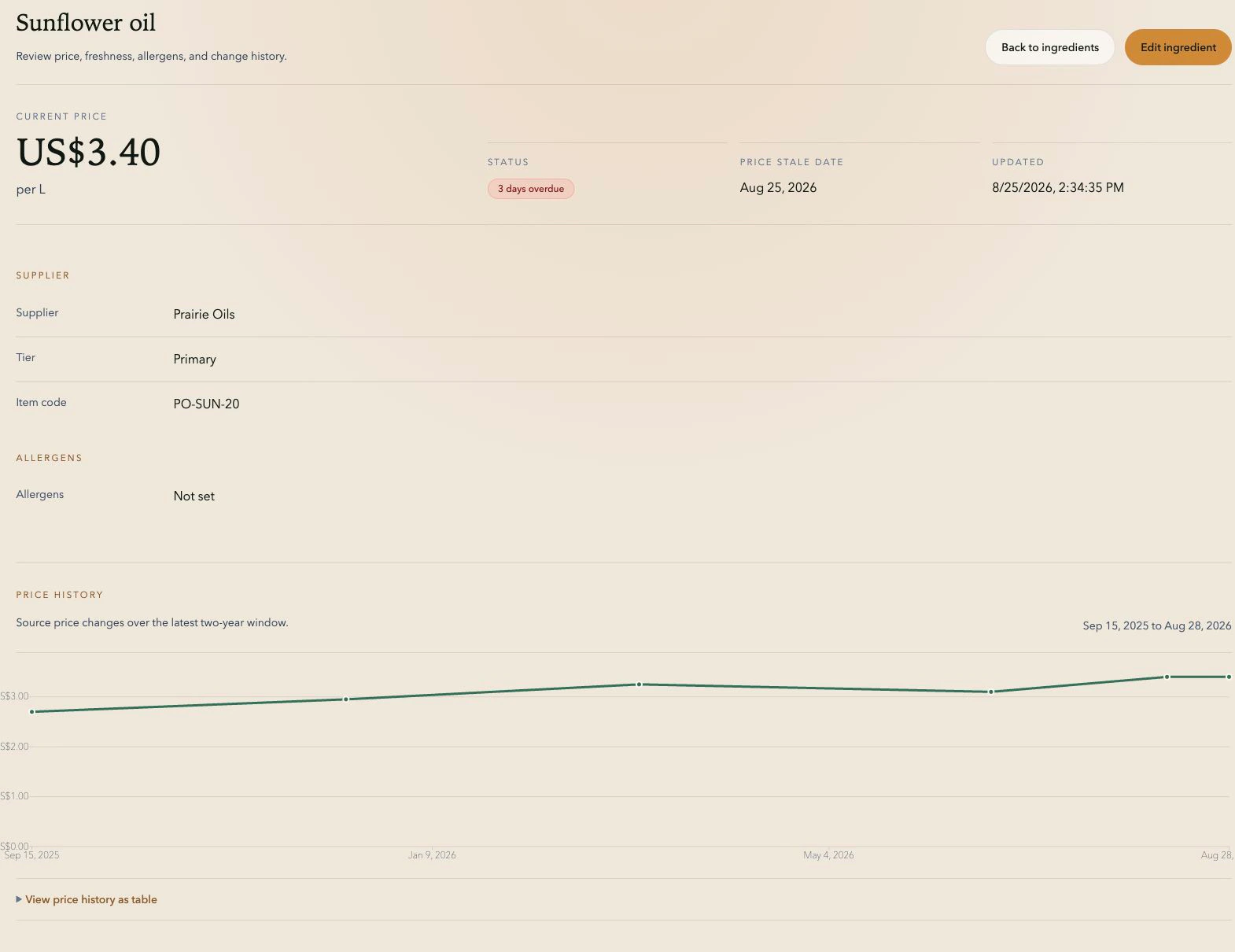
Open an ingredient to review its price history alongside the supplier, unit, allergens, and review status.
Price history
See the history behind every price change.
A dated price history shows when a cost moved. Supplier details, units, allergens, and review status stay on the same ingredient record, so the team can check the full picture.
Start with what you have
Import your ingredient list, clean it up, and keep it current.
Start with the list you have
Import supplier prices from CSV, review the mapped fields, and correct any missing or invalid data before it reaches the shared list.
Give sales a dependable starting point
Sales selects ingredients from the same price list purchasing maintains. There is no second spreadsheet to update before a quote can begin.
Explore quote generationSee the workflow
Want a better routine for keeping ingredient prices current?
Stay current
Know which prices need a refresh.
Step 1
Keep the latest supplier price and purchasing details together.
Step 2
Check price history when a cost moves.
Step 3
Review overdue prices before sales starts the next quote.
FAQ
Cost tracking questions.
Can TareWise replace an ingredient pricing spreadsheet?
Yes. TareWise replaces scattered price tabs with a shared ingredient list, review dates, and price history.
Does TareWise support imported ingredient lists?
Yes. Import your existing ingredient list from CSV, fix any validation issues, and start reviewing prices in TareWise.
Can teams track when supplier prices need review?
Yes. Set a review date for each ingredient and see overdue and upcoming price checks on the dashboard.
Can we see an ingredient’s previous prices?
Yes. Each ingredient includes a chart and table showing price changes recorded in TareWise.