Quote Generation
Build quotes from current ingredient costs.
Select ingredients, enter quantities, and apply margin or markup. TareWise handles the unit conversions and flags prices that may need a refresh.
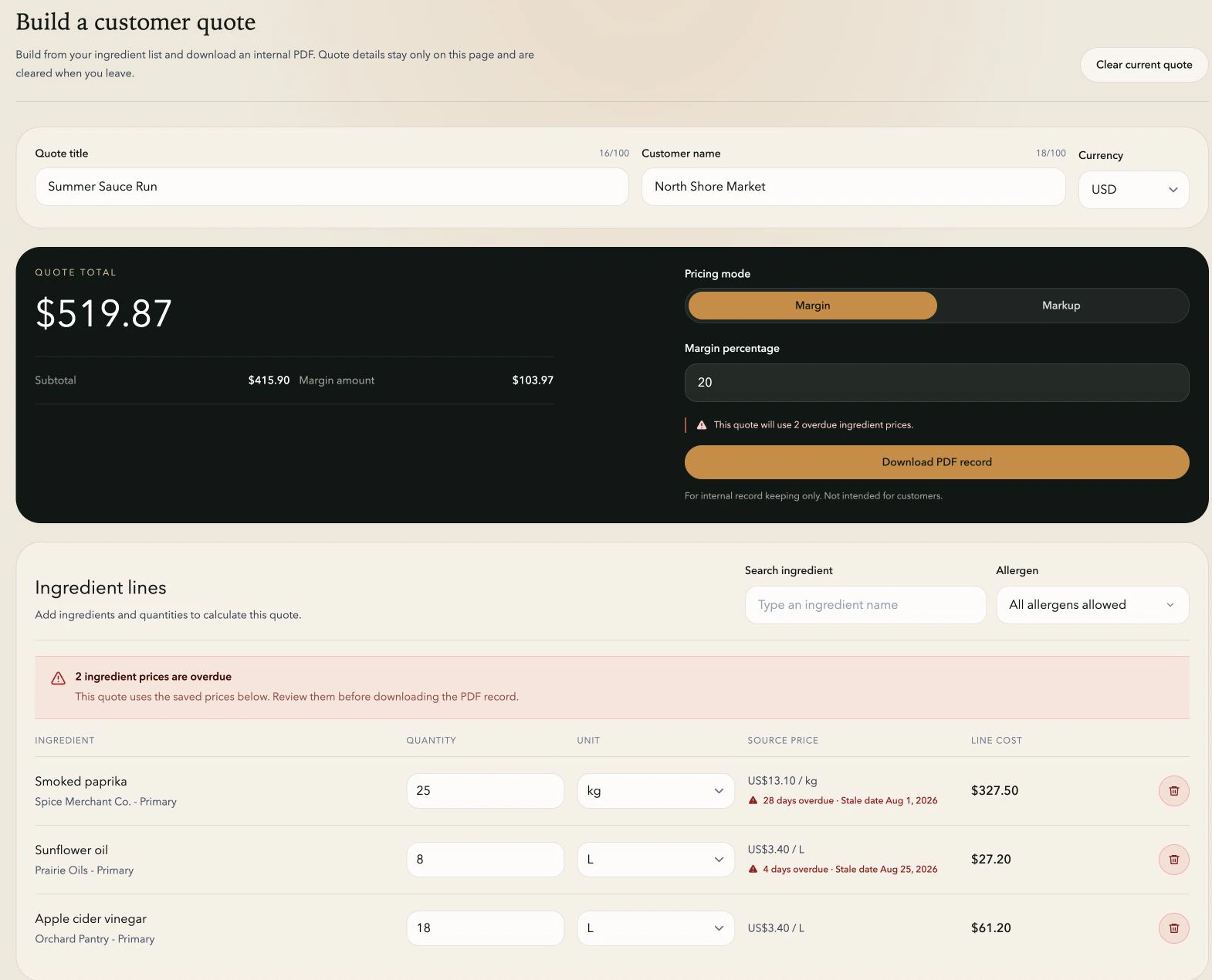
From price list to quote
Build the quote in three clear steps.
01
Choose ingredients from your price list
Search the active ingredient list, add the lines you need, and enter the required quantities.
02
Set quantities and pricing
Use compatible units, choose margin or markup, and see the subtotal and total update as you work.
03
Check the quote before you download it
Review any overdue prices, then download the PDF if your team needs to keep the calculation.
Pricing modes
Choose the pricing method your team actually uses.
Margin is measured against selling price
A target margin is based on the selling price. TareWise labels the selected method in the quote so a 20% margin is never mistaken for a 20% markup.
Markup is measured against cost
Markup adds a percentage to the ingredient-cost subtotal. The quote keeps the selected method, ingredient lines, quantities, and total together for review.
Clear enough to review
Keep current costs and quote math together.
Current costs
Each line uses the current price from your ingredient list and flags overdue reviews.
Compatible units
Work across supported purchasing units without doing the conversion by hand.
Internal PDF
Download a clear record of the ingredient lines, quantities, costs, pricing method, and total.
A better handoff
See how purchasing can give sales quote-ready ingredient costs.
Less spreadsheet work
Prepare quotes faster with fewer manual calculations.
Start with the ingredient prices purchasing already maintains.
Convert compatible weight, volume, and count units automatically.
Download a clear PDF for internal review before leaving the builder.
FAQ
Questions about quoting.
How much recipe information is needed for a quote?
Only the ingredient lines and quantities needed for the calculation. TareWise uses those details while the quote is open in the browser.
Can quotes use ingredients with different units?
Yes. TareWise converts within supported weight, volume, and count units. It does not convert between weight and volume.
What does the quote PDF include?
It records the ingredients, quantities, costs, pricing method, and total so the team has a clear copy of the calculation.